Countdown timers that actually work in email.
Create dynamic countdown images that update when your email is opened. Perfect for sales, launches, webinars, events, and limited-time offers.
Personalize the deadline for every recipient and turn urgency into opens, clicks, and sales.
Works with Mailchimp, Klaviyo, Beehiiv, ConvertKit, Gmail, Outlook, and any email platform that supports images.
Our biggest sale of the year. Time is running out — here's where things stand right now.
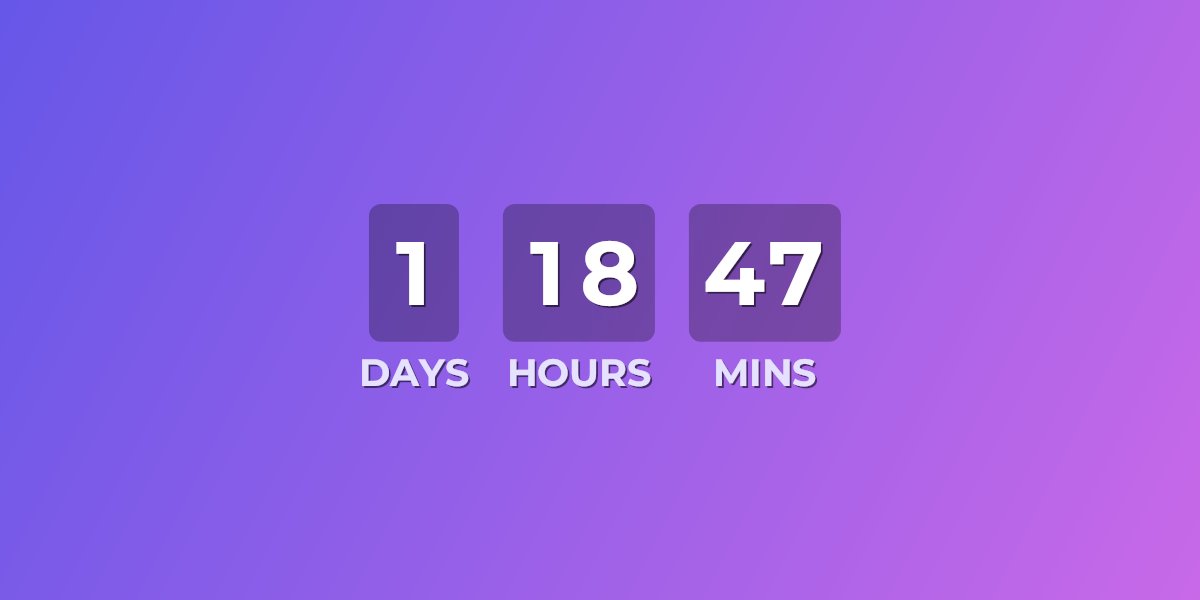
Email countdowns are harder than they should be.
Most email clients block JavaScript, which means normal web countdown timers do not work inside emails. UrgencyKit solves this with dynamic images.
JavaScript does not work in email
Most email platforms strip scripts for security, so normal countdown widgets break completely.
Design tools create static images
A Canva export looks great, but it cannot update after the email is sent. It shows the same time forever.
Generic tools are bloated
You should not need a full CRM or email builder just to add a countdown to one campaign.
Upload a design. Add a countdown.
Paste into your email.
Upload your banner
Design your image in Canva, Figma, Photoshop, or any tool you already use.
Set the deadline
Choose the target date, timezone, countdown format, font, color, and position.
Copy the embed
Paste the generated image tag into Mailchimp, Klaviyo, Beehiiv, ConvertKit, or any email builder.
Track engagement
See estimated reach, peak send times, and how many opens happened while the timer was still live.
See your countdown update in real time.

width="600" alt="Sale countdown">
Every time the email loads, UrgencyKit generates the latest countdown image. No JavaScript, plugins, or email-platform lock-in.
Built for campaigns where timing matters.
Ecommerce Sales
Show exactly how long customers have before a promotion ends.
Webinars
Remind subscribers how soon your live session starts.
Product Launches
Build anticipation in the days and hours before launch day.
Events
Count down to conferences, workshops, classes, or local events.
Course Enrolments
Make registration deadlines visible inside every email you send.
Limited Offers
Add urgency to any campaign without rebuilding your email stack.
Everything you need for dynamic email countdowns.
Per-recipient personalized deadlines
Animated final-seconds countdown
Live images that update on every open
Custom backgrounds, 170+ fonts & full styling
Custom expired-state image or message
Stacked tiles or inline layouts
Engagement analytics: reach, peak times & live-vs-expired
No email platform lock-in
Public REST API to create & manage campaigns
Why not just use a static image?
Countdown timers for email marketing
UrgencyKit helps marketers create countdown timers for email campaigns using dynamic image generation. Since most email clients do not allow JavaScript, UrgencyKit renders the countdown on the server as a standard image — a lightweight JPEG, or an animated GIF for second-by-second timers. The generated image can be embedded into Mailchimp, Klaviyo, Brevo, Beehiiv, ConvertKit, HubSpot, Salesforce Marketing Cloud, Gmail, Outlook, and any platform that supports standard image embeds.
Mailchimp countdown timers
Create a countdown image and paste it into your Mailchimp campaign using a standard image block or custom HTML.
How to add a countdown timer to Mailchimp →Klaviyo countdown timers
Use dynamic countdown images in promotional flows, product launches, and limited-time ecommerce offers.
How to add a countdown timer to Klaviyo →Beehiiv countdown timers
Add visual urgency to newsletters without needing JavaScript or custom frontend code.
How to add a countdown timer to beehiiv →Webinar countdown timers
Show subscribers exactly how long until a live webinar, workshop, or online event starts.
How to add a webinar countdown →Start free. Upgrade when your campaigns grow.
- 3 campaigns
- 5,000 image loads/month
- UrgencyKit watermark
- 25 campaigns
- 100,000 image loads/month
- No watermark
- API access
- 100 campaigns
- 1,000,000 image loads/month
- No watermark
- API access
Automate countdowns from your own stack.
A clean REST API lets your store, CMS, or backend create, publish, and manage countdown campaigns programmatically — and hand back a ready-to-embed image URL. Built for agencies, ecommerce platforms, and teams automating product drops, flash sales, webinars, and per-recipient deadlines. Included on every paid plan.
-H "Authorization: Bearer uk_live_…"
-H "Content-Type: application/json"
-d '{ "name": "Flash Sale",
"targetDateUtc": "2026-11-27T00:00:00Z",
"timezone": "America/New_York" }'
Then publish it with a single POST /{id}/publish — anything you can do in the dashboard, straight from your own code.
"status": "Published",
"imageUrl": "https://urgencykit.com/t/flash-sale.png?end=…",
"embedHtml": "<img src=\"…\" width=\"600\">"
}
Drop the live image URL — or the ready-to-paste <img> tag — into any email. Swap the ?end= value for a merge tag to give every recipient their own deadline.
Make your next email feel urgent.
Create a dynamic countdown image, paste it into your campaign, and let every open show the latest time remaining.